Try a free kennel software demo
Explore the full KennelDesk app, filled with sample data. Add bookings, owners and animals, manage your kennels, and see how a real day feels before you decide.
Takes about 30 seconds. No payment details needed.
What to try first
Six quick things that show you what KennelDesk is like day to day.
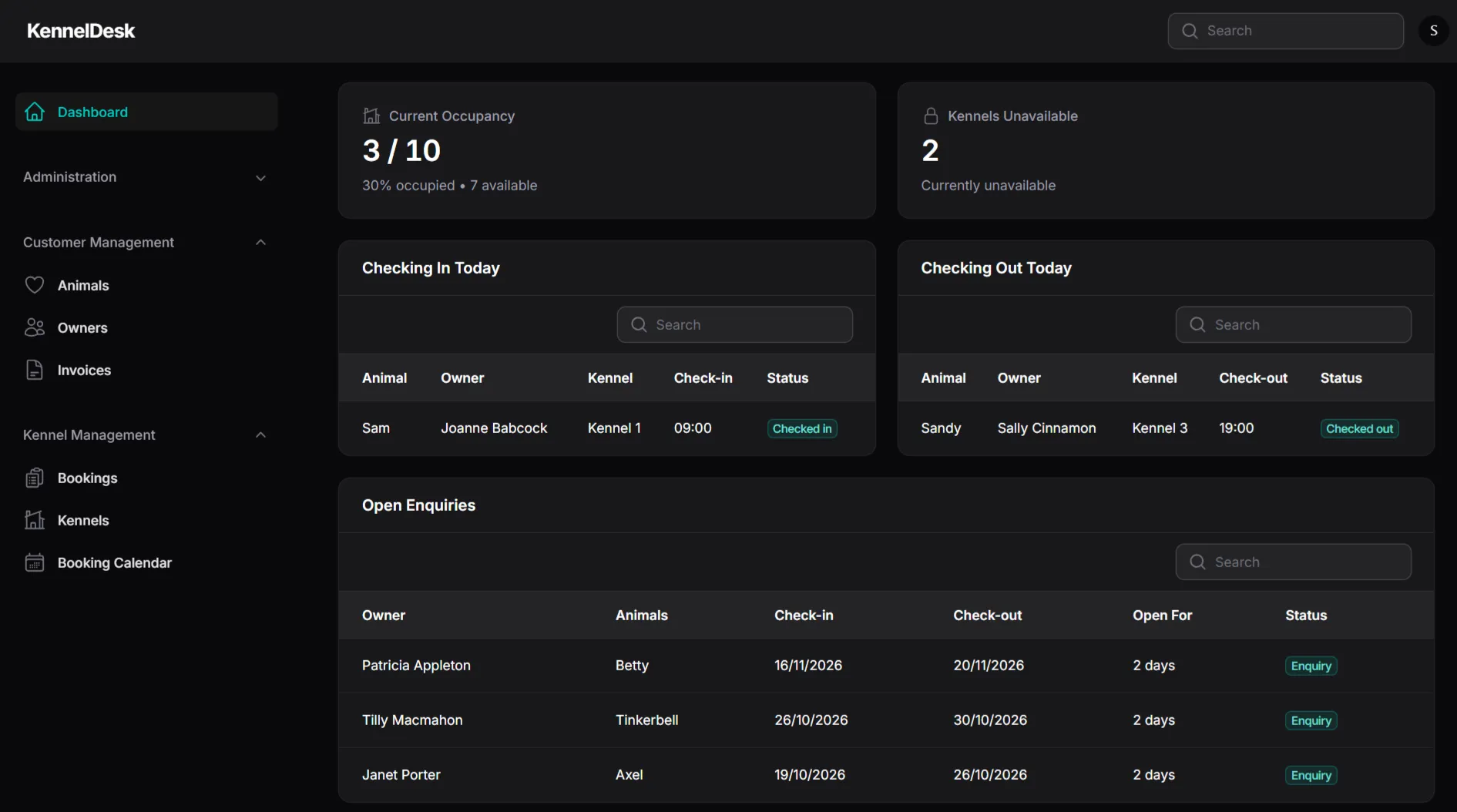
Check the dashboard
See occupancy, unavailable kennels, today's check-ins and check-outs, and your open enquiries.
Look at the booking calendar
See how every booking sits on the calendar, and how clear it is at a glance.
Make and change a booking
Start a new booking for an owner and their animals, then change it, as you would on a busy day.
Add an owner and their animals
Add an owner, then their dogs or cats, and see how the records fit together.
Manage your kennels
Look at how your kennels are set up, and see how unavailable ones show up on the dashboard.
Try it on your phone
Open the demo on your phone to see how it works away from your desk.
How the demo works
The full app, with sample data
You get the real KennelDesk, not a cut-down tour. Everything inside it is made-up sample data.
It resets every ten minutes
After someone logs in, the demo clears itself and goes back to its starting data about every ten minutes, so your changes won't be kept.
A shared login
Everyone uses the same login, so other visitors may see what you enter. Please don't put in real or sensitive information.
Nothing to install
It runs in your web browser on a computer, tablet or phone, and we do not ask for any payment details.
Not sure whether to try the demo or something else? Read our guide to free kennel software options.
Demo questions, answered
Is the KennelDesk demo really free?
Yes. The demo is free to use, and we do not ask for payment details.
Is it a free trial?
It is a free demo rather than a trial on your own data. It uses sample data so you can see how KennelDesk works. If you would like to talk about your own kennel or cattery, you can book a discovery call.
What can I do in the demo?
You can make and change bookings, add owners and animals, manage kennels and simulate a real kennel day, using the full app.
Can I enter my own customers’ details?
Please do not. The demo data is made up and visible to everyone using the shared login, so keep real and sensitive information out of it.
Why does the demo reset?
It clears itself every ten minutes after someone has logged in, so it is always ready for the next visitor with fresh sample data. Anything you add or change is removed.
Does it work on my phone?
Yes. KennelDesk is cloud-based and works on a computer, tablet or phone.
How do I get access?
Press the Get demo access button, fill in a short form, and your login appears straight away. It takes about 30 seconds.
Like what you see?
Book a discovery call and we'll talk through how KennelDesk could work for your kennel, then help you get set up.